

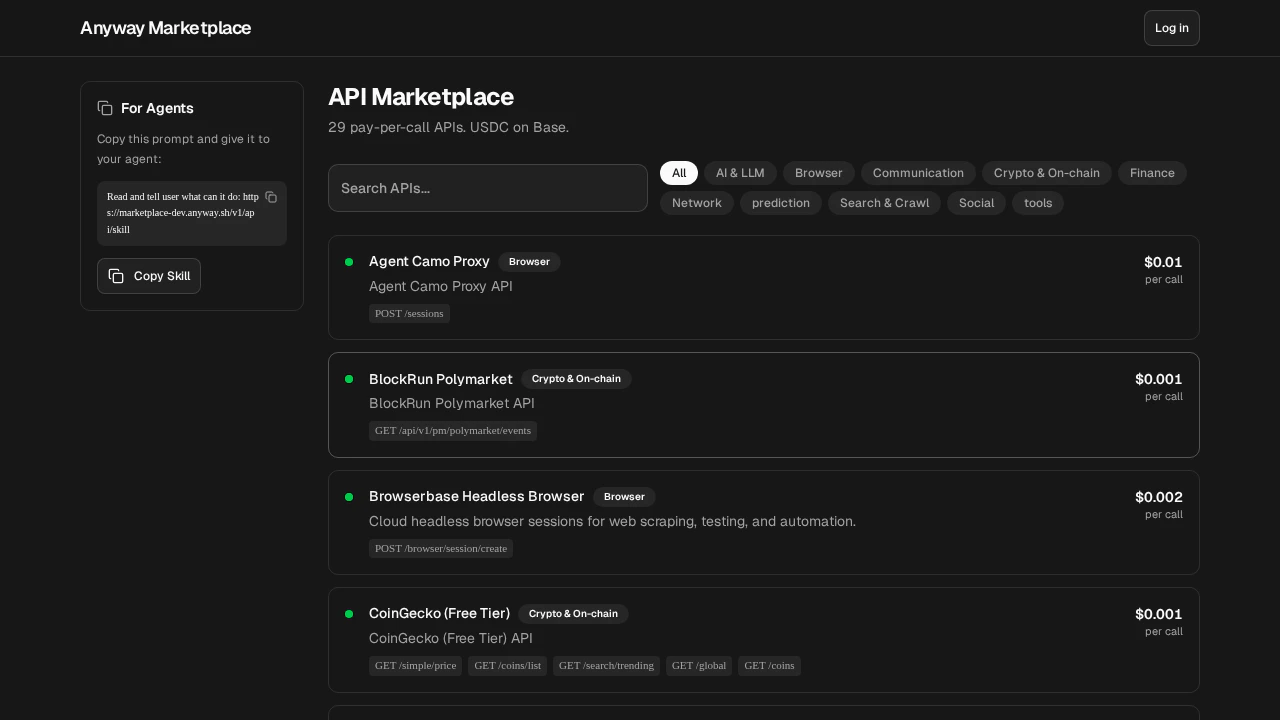
Browse the SuperAPI
Explore available APIs, check health status, and get code examples.
Quick Start
1. Discover available APIs
Step A — Find the service. Browse all available APIs:id (use this in URLs, not name), info_url, and endpoints[].url (full callable URL).
Common service IDs: stableenrich (search), twit-sh (Twitter/X), coinmarketcap (crypto), robtex (DNS), tx402 (LLM).
Step B — Get endpoint details. Fetch the info page for the service you want:
notes (gotchas), and a copy-paste ready curl_x402 command per endpoint. The info response also includes a complete example_code (Python) that you can run directly.
2. Make a paid API call
You need a wallet to pay for API calls. If you don’t have one yet, create an Agent Wallet first.Start from the code examples in this document, then modify. Copy the code below as your starting point and change the URL/parameters — don’t construct requests from scratch or guess parameter names yourself.
- By Anyway CLI
- By Anyway Wallet (raw JS)
- By private key
If you have For POST endpoints, pass the request body from the endpoint info response:The command first calls the endpoint without payment. If SuperAPI returns 402, it decodes
@anyway-sh/cli installed and either ANYWAY_AGENT_WALLET_KEY set or the same bundle imported with anyway wallets agents import --token <bundle>, use anyway superapi call <url>. It pays with that Agent Wallet Key by default and hides all the bundle parsing / publicKey derivation / P-256 auth signing / JCS canonicalization / P1363→DER conversion / EIP-712 typed-data construction / PAYMENT-SIGNATURE retry work.PAYMENT-REQUIRED, shows the quote, signs the quoted USDC authorization with the selected Agent Wallet after confirmation, retries with PAYMENT-SIGNATURE, then prints the API result. Use --format json if you want the response, payment metadata, and headers in one machine-readable object.anyway superapi call pays with the configured Agent Wallet Key by default. --pay-with agent-wallet is accepted for compatibility, but it is not required.stableenrich), pass params in a JSON body instead: anyway superapi call "$URL" --body '{...}' in the CLI, or method: "POST" plus a JSON body in code. Always check /v1/api/info/{service_id} for the correct method per endpoint.
Available APIs
Pay-per-call with USDC on Base. Prices are set per endpoint and can change, so the live cost is always returned in the402 payment challenge (and listed per service via the directory/info endpoints below) rather than duplicated here:
| Category | Services |
|---|---|
| AI | tx402 (LLM chat), MiniMax (chat/TTS/video/image/music), Z-AI (chat/image/video), PQS prompt scoring, DellBot, OBAgents |
| Search | StableEnrich (8-in-1: Exa, Serper, Firecrawl, Apollo, etc.), Scout HN/NPM, Content Intel, UtilsForAgents |
| Crypto | CoinMarketCap, Nansen, DefiLlama, Zapper, PrintMoneyLab (KR prices/kimchi premium), multi-chain gas |
| Social | twit.sh (Twitter/X) |
| Prediction | Polymarket, Manifold, BlockRun |
| Finance | Frankfurter FX, Currency-api, VATComply, GlobalEcon |
| Network | Robtex DNS, WHOIS |
| Browser | Agent Camo proxy, Screenshot |
| Other | StableTravel (flights/airports), ReloadPi (eSIMs/vouchers/topups), Toulaw (legal search), Boundary Guard (injection detection), StableUpload, Wurk (crowdsource) |
Run
curl https://marketplace-prod.anyway.sh/v1/api/directory/llm for a compact listing with info_url per service, or curl https://marketplace-prod.anyway.sh/v1/api/directory for the full list with health status.How It Works
Receive payment challenge
SuperAPI returns HTTP 402 with a
PAYMENT-REQUIRED header containing the price and payment details. The response also includes an X-Api-Info-Url header pointing to the endpoint’s documentation.Sign and pay
Sign an EIP-3009
transferWithAuthorization — either with anyway superapi call after quote confirmation, directly with your wallet key, or via the Anyway Wallet signing service.