

Already got an Agent Wallet Key from your owner? Set
ANYWAY_AGENT_WALLET_KEY or run anyway wallets agents import --token <bundle>, then use anyway wallets agents whoami to confirm the agent and wallet address. If the wallet is not funded yet, use Step 2; otherwise jump to Step 3: Buy Something or the SuperAPI Quick Start.End-to-End Path
- Wallet owner creates the Agent Wallet in the webapp or with
anyway wallets agents create. - Agent runtime receives the Agent Wallet Key as
ANYWAY_AGENT_WALLET_KEYor imports it withanyway wallets agents import --token <bundle>. - Agent verifies identity and limits with
anyway wallets agents whoamiandanyway wallets agents policies. - Owner funds the wallet by sending USDC to the wallet address shown by
whoami. Anyway Credits are applied automatically if the org has a balance; otherwise the owner funds the wallet directly. - Agent calls SuperAPI: discover endpoint → run
anyway superapi call <url>→ the CLI receivesPAYMENT-REQUIRED, signs with the Agent Wallet Key, retries withPAYMENT-SIGNATURE, and prints the API result.
Getting Started
Step 1: Create Agent Wallet
- Webapp
- CLI
- Go to Wallets → click + Create Agent Wallet
- Enter a name and spending limit (max per transaction, default $5)
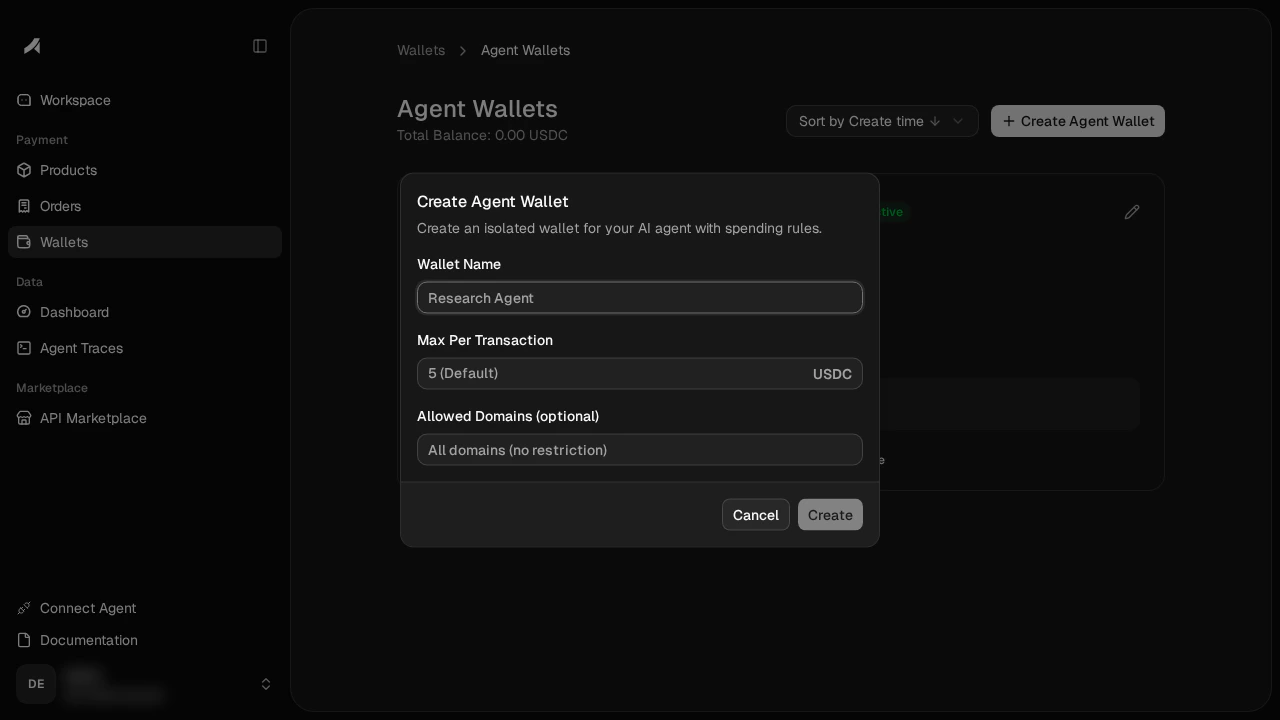
- Click Create — the wizard creates the wallet, generates the signing keypair, delegates access, and sets the spending policy in one step. By default, the agent gets a $5 max per transaction cap and direct sends are blocked (the agent can only pay through x402, not transfer USDC freely)
- Save the Agent Wallet Key — it’s shown once and cannot be retrieved later. The key is a base64url-encoded JSON string containing just the signing key
Agent Wallet Key
The Agent Wallet Key is a base64url-encoded JSON token containing the agent’s P-256 signing key:Deriving the public key
Every/v1/agent-wallet/* request needs the SPKI public key in the X-Agent-Pubkey header — the bundle doesn’t carry it (and doesn’t carry a walletId either). Derive the public key from the PKCS#8 private key once when you parse the bundle:
publicKeyB64 matches what the backend stored at wallet creation time. Everything else the runtime needs (agentId, walletId, walletAddress, providerWalletId, appId) comes from a single GET /v1/agent-wallet bootstrap call once the request is authenticated.
Step 2: Fund the Wallet
Anyway Credits applied automatically. If your org has a credit balance, it is deducted automatically before any SuperAPI (x402) payment — no action needed. Credits only apply to SuperAPI calls and cannot be used for direct USDC transfers. Credits are granted by Anyway and are org-scoped (shared across all your agent wallets). To check your balance, visit app.anyway.sh/wallets .
- Webapp
- CLI
On the agent wallet card, click ↓ Fund to transfer USDC from your main wallet to the agent wallet.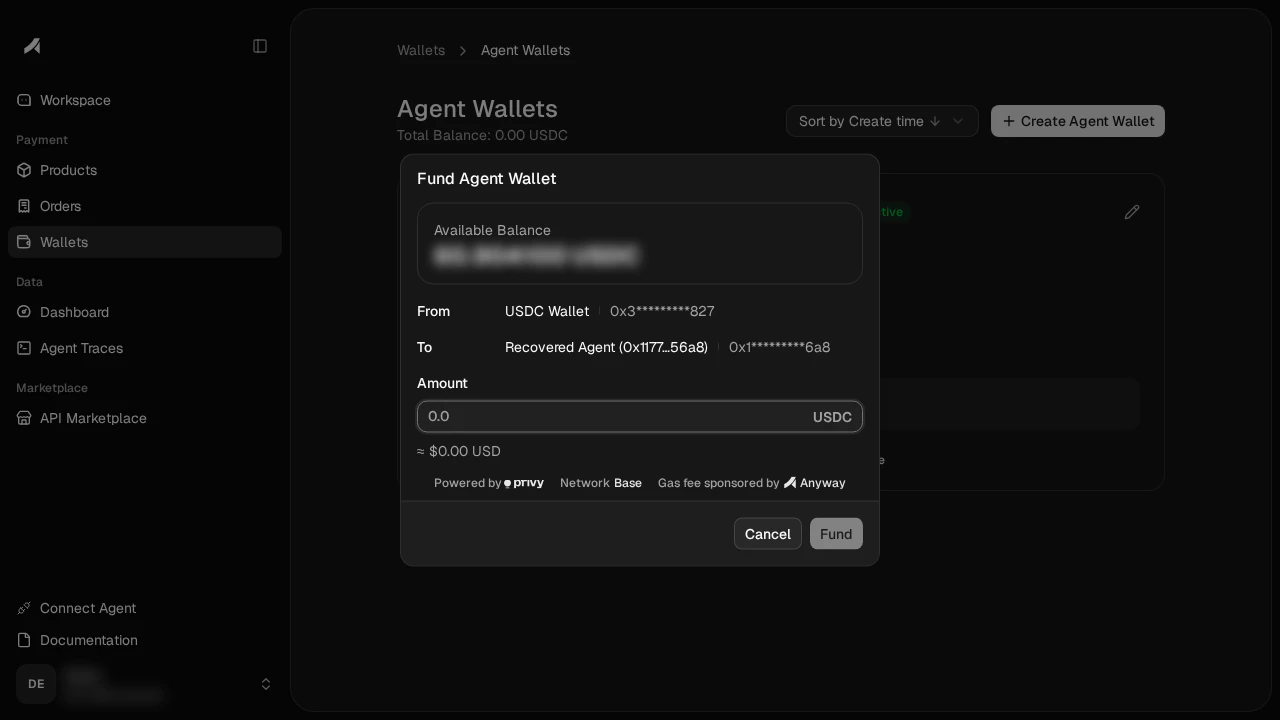
Step 3: Buy Something
Your agent can now buy APIs on the SuperAPI. The spending limit you set is enforced server-side — if the agent tries to exceed it, the payment is rejected without ever touching the wallet’s signing key. Fastest path: use the CLI to pay and call the SuperAPI endpoint in one command. The CLI can read the Agent Wallet Key fromANYWAY_AGENT_WALLET_KEY or from a local record imported with anyway wallets agents import --token <bundle>. If the wallet owner created the agent wallet through the interactive CLI flow, that local record is already saved.
anyway superapi call handles the whole x402 loop: initial request → 402 challenge → Agent Wallet signing → PAYMENT-SIGNATURE retry. It is a paid call: by default the CLI shows the quote and asks for y/N before signing. Use --yes or -y in CI/agent runtimes that should approve the quoted payment automatically. See the SuperAPI Quick Start → By Anyway CLI tab for GET and POST examples.
If you need to inspect or assemble the x402 retry yourself, use the lower-level signer:
--format json output gives you signature + authorization as inputs to a PAYMENT-SIGNATURE envelope. To send the retry yourself, you still need the 402 challenge’s x402Version, scheme, network, and full accepted payment object, then base64-encode the JSON envelope. For most SuperAPI calls, prefer anyway superapi call <url> above.
If you’d rather skip the CLI and sign in-process, the raw JS path is in SuperAPI Quick Start → By Anyway Wallet (raw JS) (METHOD\nPATH\nTIMESTAMP with the agent wallet key and the three X-Agent-* headers).
Step 4: Monitor & Manage
- Webapp
- CLI
From the Agent Wallets page: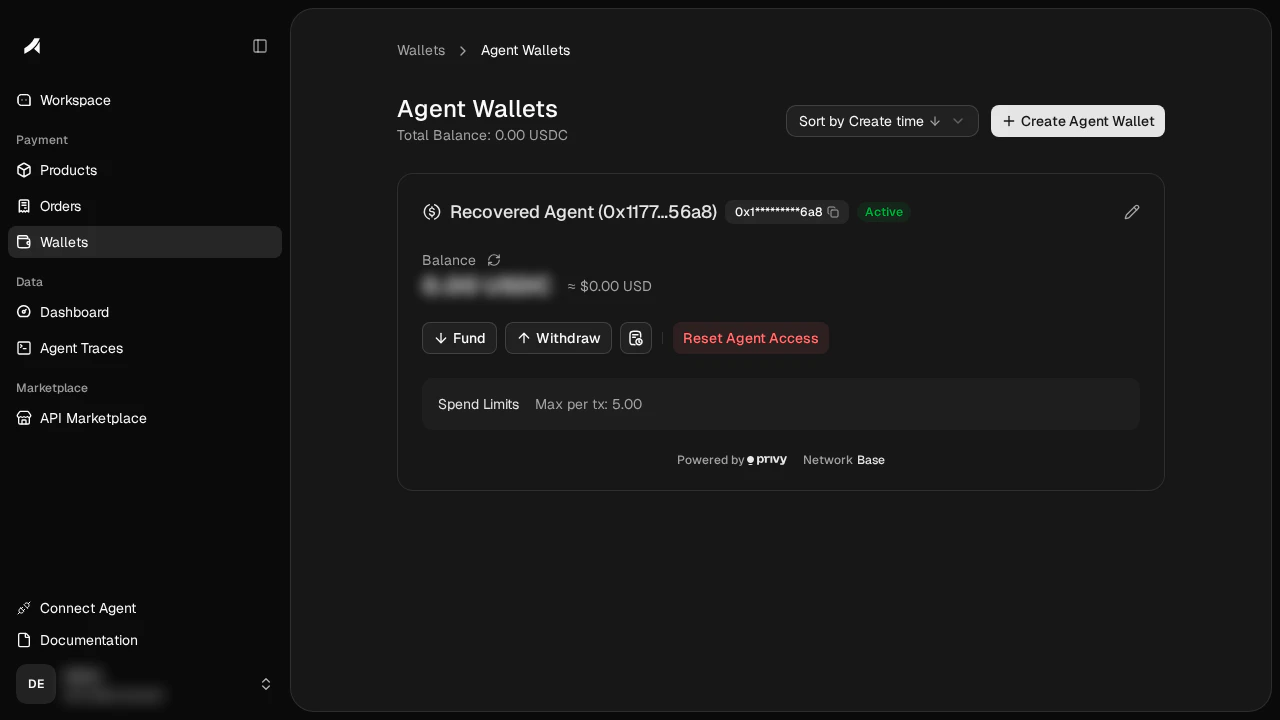
- ↓ Fund / ↑ Withdraw — transfer USDC between main wallet and agent wallet
- Edit (pencil icon) — update the spending limit
- Reset Agent Access — rotate the signing key (wallet address + balance preserved)
How It Works
- The agent builds an EIP-712 typed data payload (USDC
TransferWithAuthorization) - It signs a request to Anyway’s backend using its P-256 key — this proves identity
- Anyway forwards the request to Privy, which checks the spending policy
- If the policy allows it, Privy’s MPC wallet produces a secp256k1 signature — this authorizes the USDC transfer
- The agent sends this signature to the SuperAPI via the x402 protocol, and the payment settles on Base
Zero Custody
| Key | Where it lives | Who can access it |
|---|---|---|
| Wallet key (secp256k1) | Privy embedded wallet — created client-side in your browser | Privy MPC (no single party holds the full key) |
| Agent signing key (P-256) | Agent’s local machine or runtime | Only the agent |
Spending Policies
Policies are enforced by Privy at the MPC signing layer — not by Anyway’s backend. This means even if the backend is compromised, the agent cannot spend beyond its limits. Default rules on every new agent wallet:- Max per transaction ($5 by default) — caps each x402 payment
- Block direct sends — the agent can only pay through x402, not transfer USDC freely on-chain